
Google Business Reviews and Google Merchant Reviews both show star ratings in search results. They are completely different systems. Understanding the difference matters because the strategies for collecting and growing them are not the same.
Table of Contents
- Key differences
- Google Business Reviews
- Google Merchant Reviews
- Which one does your store need?
- How to collect both
- Frequently asked questions
Key differences
| Google Business Reviews | Google Merchant Reviews | |
|---|---|---|
| Also called | Google Maps reviews | Google Seller Ratings / Customer Reviews |
| Who can review | Anyone with a Google account | Verified buyers only |
| Purchase required | No | Yes |
| Where they appear | Google Maps, local search panel | Google Shopping, Search ads |
| Affects | Local SEO rankings | Shopping ad performance |
| Setup required | Google Business Profile (free) | Google Merchant Center account |
| Minimum to display | None (1 review shows) | 100+ reviews |
| Available to | Any business type | Ecommerce only |
Important: these are two separate systems. Google Business Reviews do not appear in Google Shopping and Google Merchant Reviews do not appear on Google Maps. Many Shopify merchants assume their Google Maps reviews automatically appear in Shopping, they don't.
Google Business Reviews
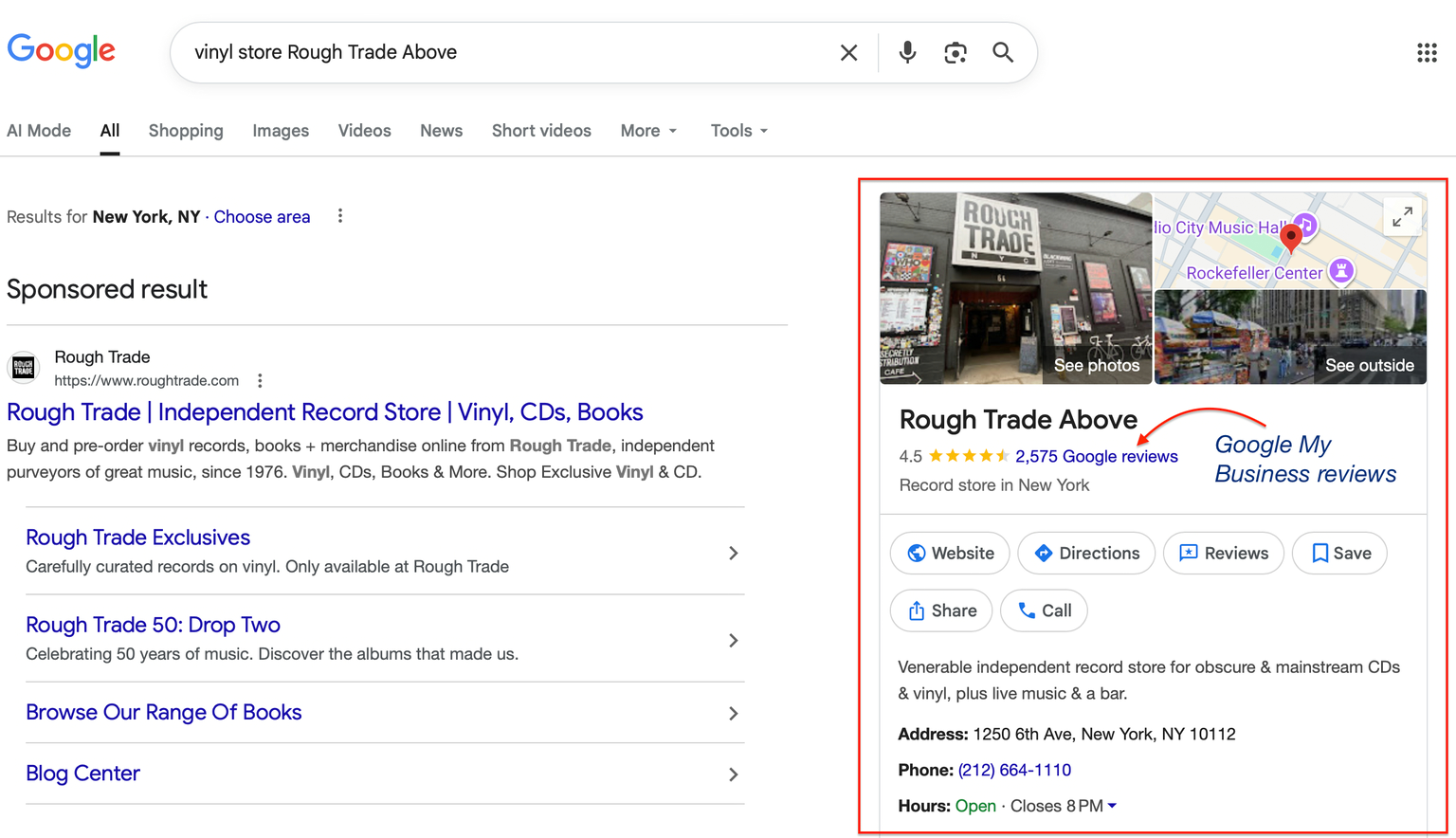
Google Business Reviews appear on Google Maps and in the local search panel when someone searches for your business. Any Google user can leave a review, no purchase required.
To get them, you need a Google Business Profile, free to create at business.google.com. Once verified, reviews appear on Maps and in search results immediately.
These reviews directly influence local SEO rankings. The more positive reviews you have, the higher you tend to rank in Google's local map pack. They also appear on your store when you embed them with a widget like the Reputon Google Reviews Widget.
Google Merchant Reviews
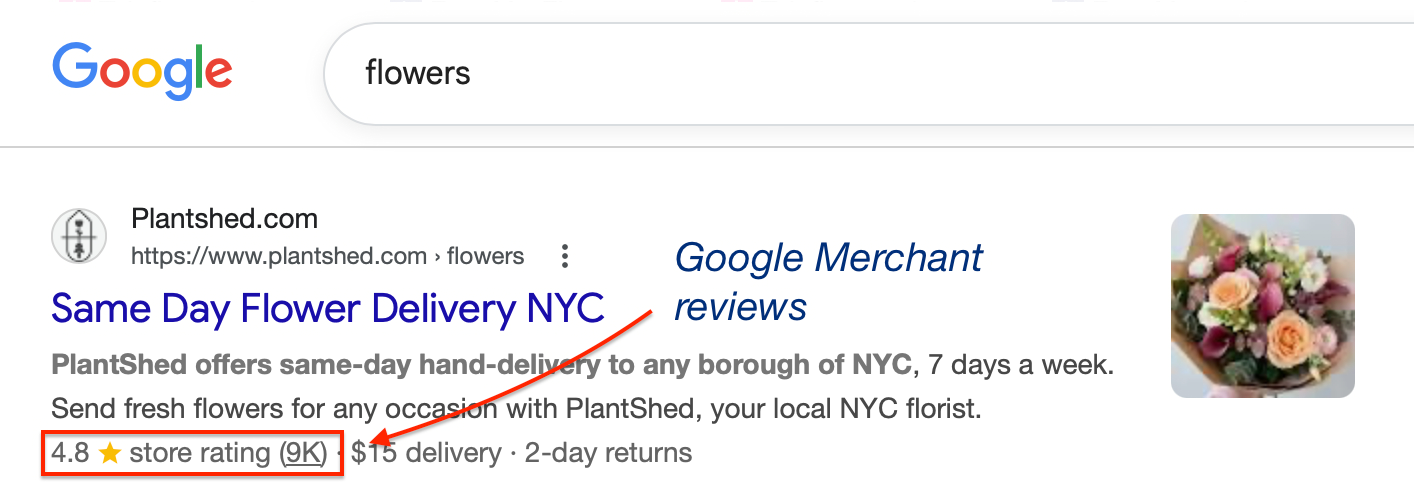
Google Merchant Reviews (officially called Google Customer Reviews) are for ecommerce businesses registered with Google Merchant Center. After a purchase, customers who opted in at checkout receive a survey email from Google. Their rating contributes to your Google Seller Rating.
Seller Ratings appear in Google Shopping results and in Google Search ads. They do not appear on Maps or in the local panel. You need at least 100 reviews for your seller rating to display publicly.
To set up: go to your Google Merchant Center account, navigate to Growth, then Manage Programs, then Customer Reviews, and accept the program agreement. You then add a survey opt-in to your checkout, the Reputon Google Reviews Widget handles this automatically.
Which one does your store need?
Start with Google Business Reviews if you want to build social proof on your website, rank higher in local search, or are just starting out. No minimum review count, results are visible quickly.
Add Google Merchant Reviews if you run Google Shopping campaigns and want seller ratings to appear in your ads. Worth it once you have enough volume to reach 100 reviews.
The short answer for most Shopify stores: start with Business Reviews, add Merchant Reviews when you're running Shopping ads.
How to collect both
Collecting Google Business Reviews
The most effective method is automated post-purchase email sent 2-3 days after delivery with a direct link to your Google review form. The Customer Reviews app does this automatically.
You can also use the "Collect reviews at checkout" feature in the Google Reviews Widget: customers who rate 5 stars are directed to your Google review form; customers who rate lower are routed to a private form first.
Collecting Google Merchant Reviews
- Sign in to Google Merchant Center.
- Go to Growth, then Manage Programs, then Customer Reviews.
- Accept the program agreement.
- Add the survey opt-in code to your checkout, or use the Google Reviews Widget which handles this automatically.
Google then sends survey emails automatically to opted-in customers after their estimated delivery date.