How To Install AliExpress Widget on Shopify Theme 2.0

Manual with photos on how to set up AliExpress widget with Shopify themes 2.0

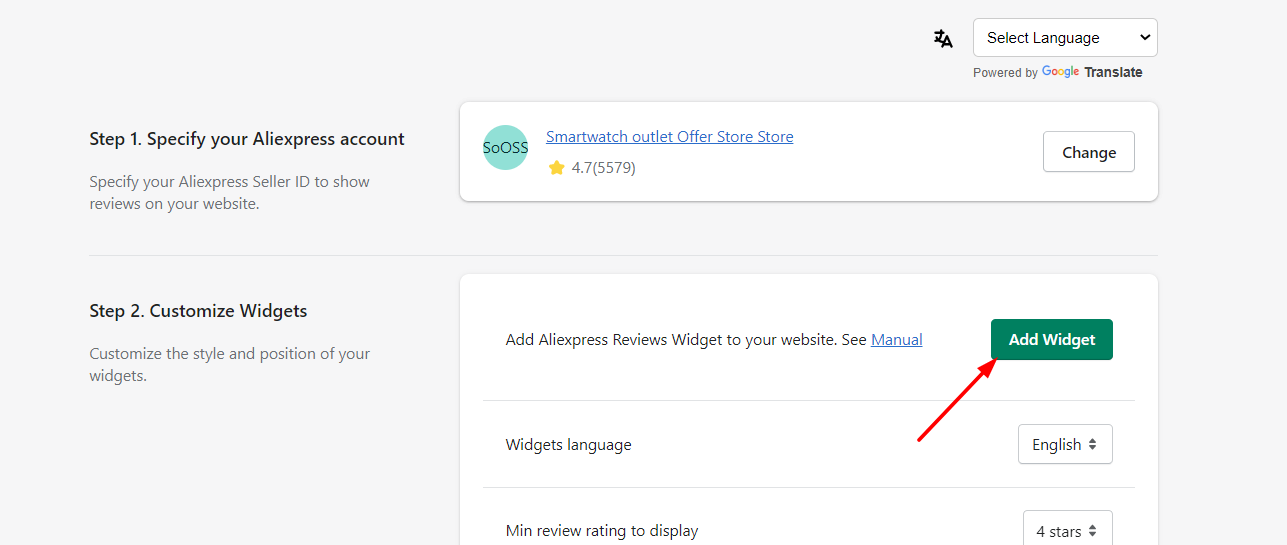
Step 1.

Click "Add widget". You will be redirected to the live Theme editor.

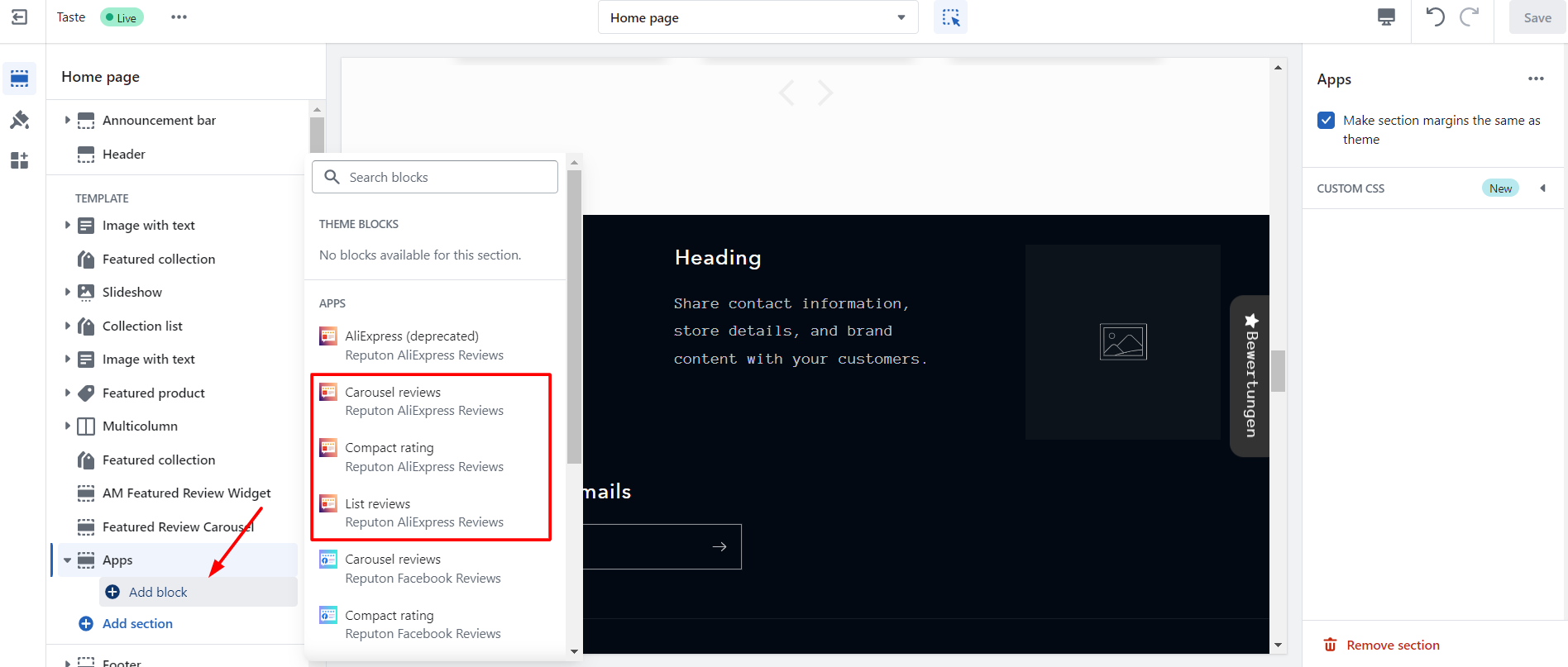
Step 2.

In the "Apps" section, click on "Add block". Select widget layout: Carousel, Compact, List.

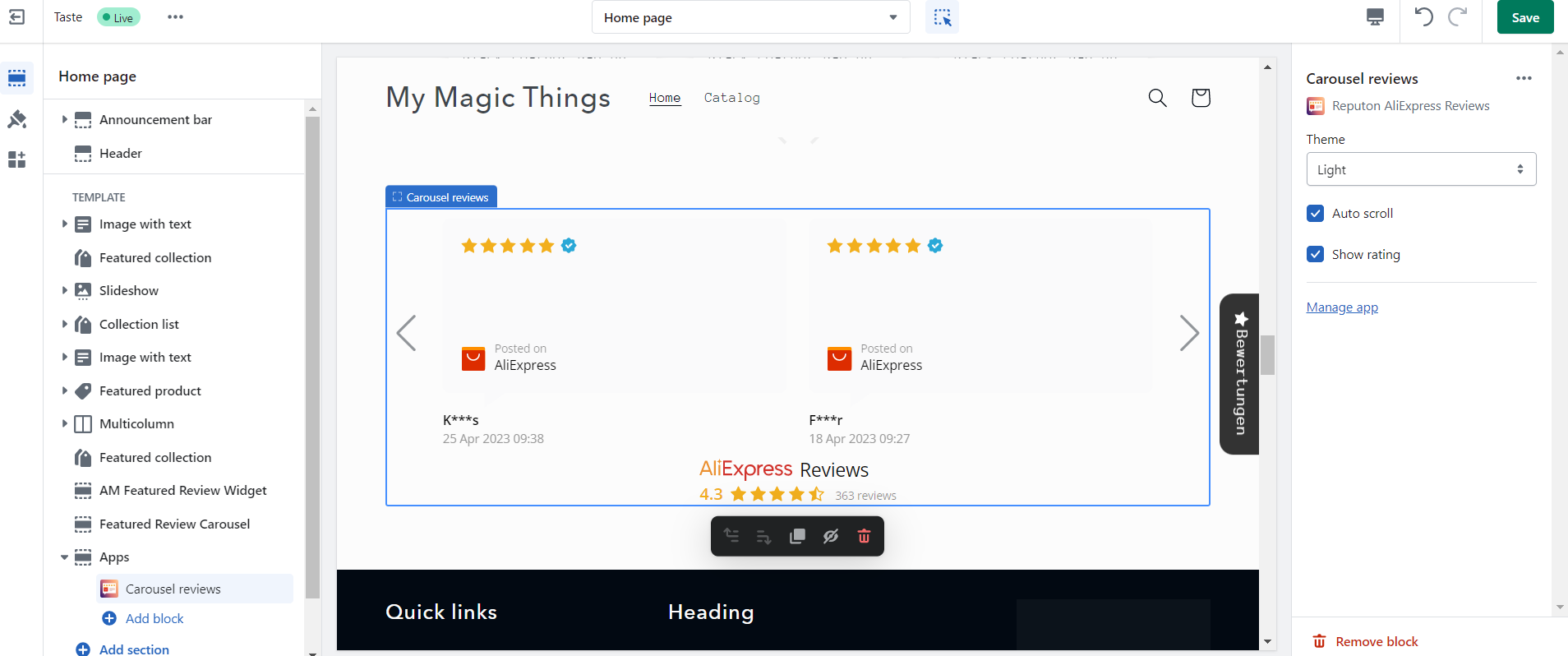
Step 3.

Select "Light" or "Dark" theme, disable "Auto Scroll" (optionally), disable "Show Rating" (optionally). Click "Save".

Missing reviews on your store? These apps fix that.

reputon customer reviews

Customer Reviews

Built for Shopify
4.9 1100+ reviews
embed google reviews

Google reviews

Built for Shopify
4.9 1300+ reviews
Reputon Etsy reviews

Etsy reviews

Built for Shopify
4.9 300+ reviews
Reputon Amazon reviews

Amazon Reviews

Built for Shopify
4.9 160+ reviews