How To Install AliExpress Widget on Shopify Theme 2.0

How To Install AliExpress Widget on Shopify Theme 2.0

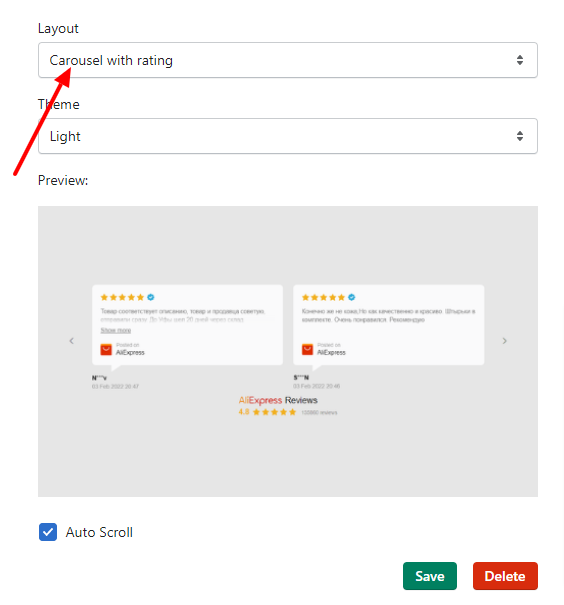
Step 1.

Select Layout and click "Save"

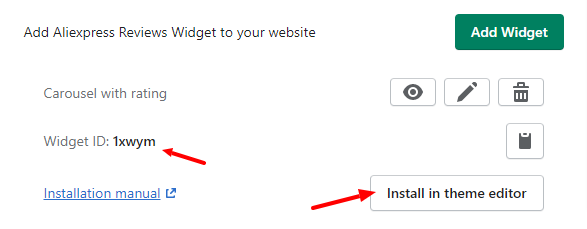
Step 2.

Copy Widget ID and click "Install in theme editor"

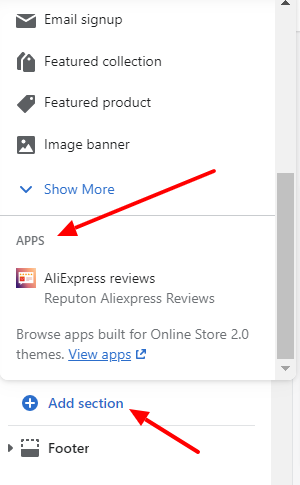
Step 3.

Click on "Add section" and search for "Apps"

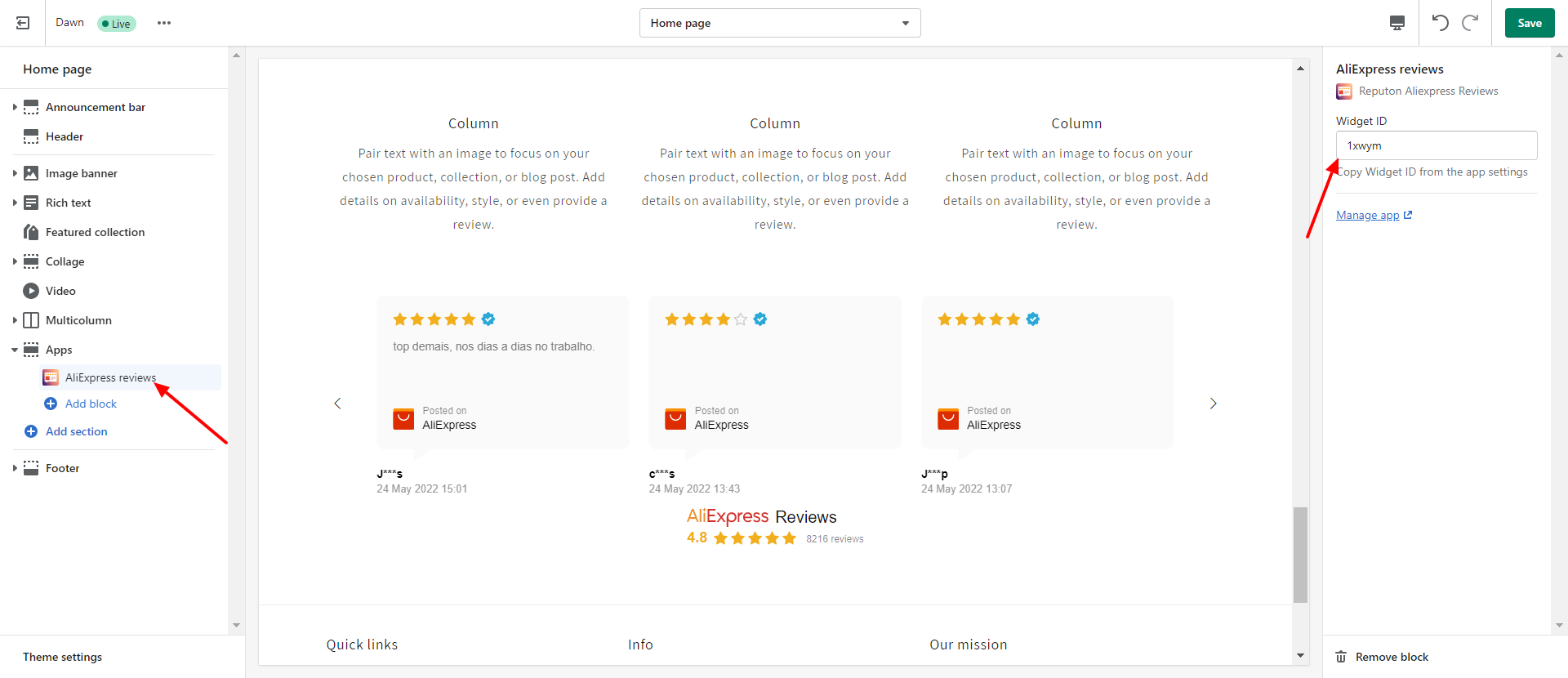
Step 4.

Add "AliExpress reviews" block and paste Widget ID. Click "Save".

Feel bad about your store reviews? We have a solution for you!

reputon customer reviews

Boost your store reviews

Built for Shopify
Get more reviews of Google, Trustpilot and other platforms
4.8 1500+ reviews
embed google reviews

Embed Google reviews

Built for Shopify
Show your Google reviews

4.9 1070+ reviews
Reputon Etsy reviews

Embed Etsy reviews

Built for Shopify
Show your Etsy reviews

4.8 300+ reviews
Reputon testimonials

Embed Testimonials Slider

Built for Shopify
Show customer testimonials

4.8 300+ reviews